
Once
The Run page has four tabs: Once, Iterate, Optimize and Stages. They all run
the workflow currently on the Designer canvas, and differ only in how its open values
(#variables) are supplied. Once asks for each value one time and runs the workflow one time.
-
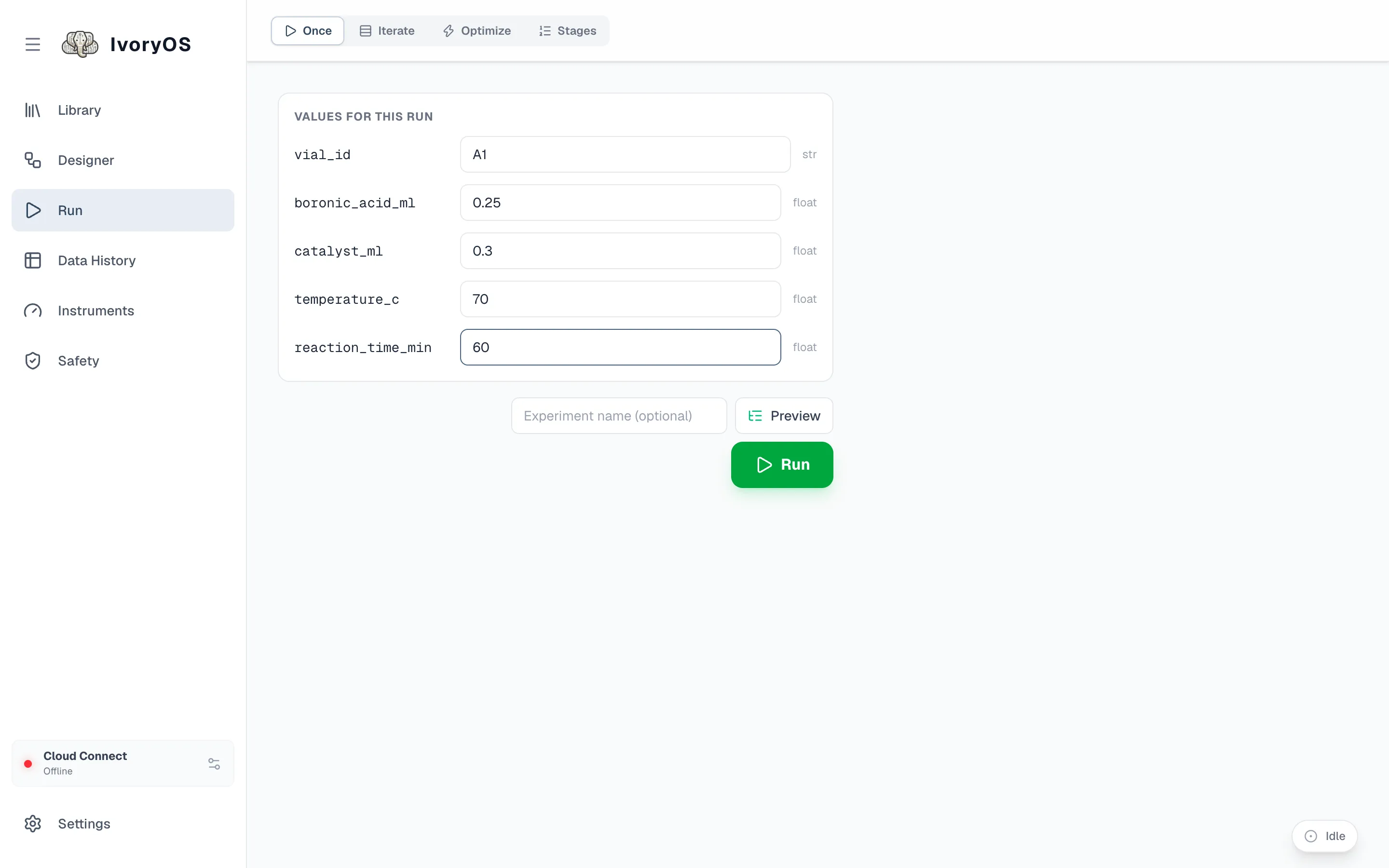
Open Run (or Configure in the Designer). One field per open value, with its type beside it. A workflow with no open values says Nothing to fill in and runs as it is.
-
Fill in the values. A field that has a safety limit or a unit shows it; a value outside the limit is marked at once and refused when you press Run.
-
Name the run, or leave it blank for a numbered name (
<workflow> Run #3). -
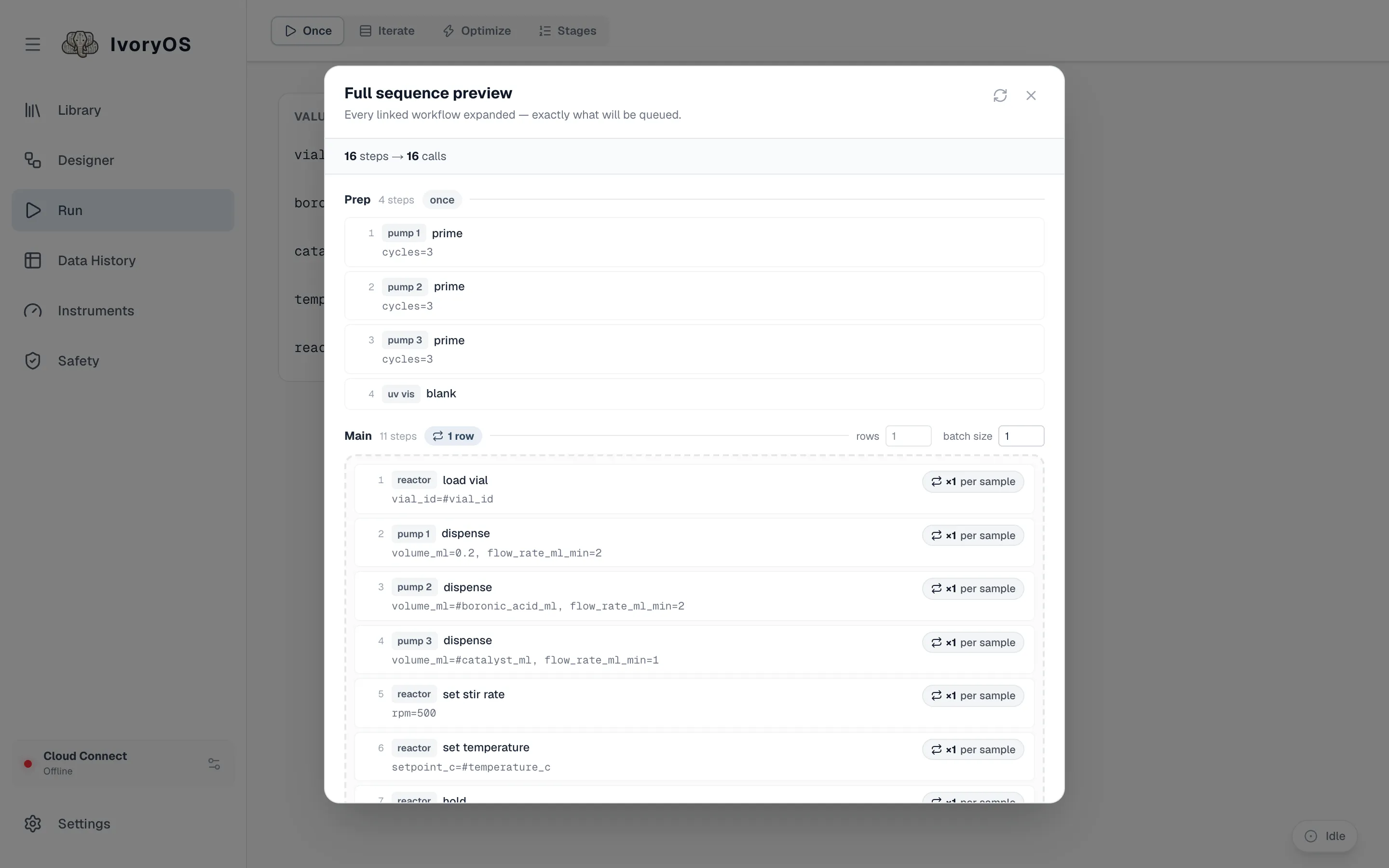
Preview shows every step the deck will make, in order, with your values substituted and any linked workflow expanded, exactly as the deck will run it.
-
Run. If another run is going, the button reads Add to Queue and asks before queueing. The run bar at the bottom of the page follows the run; see The live run and the queue.
A linked workflow inside the design runs its Main steps only here; its Prep and Cleanup run when it is the whole run (on its own, or as a stage).