
Iterate
Iterate runs the workflow once per row of a spreadsheet: one column per open value, one row per sample.
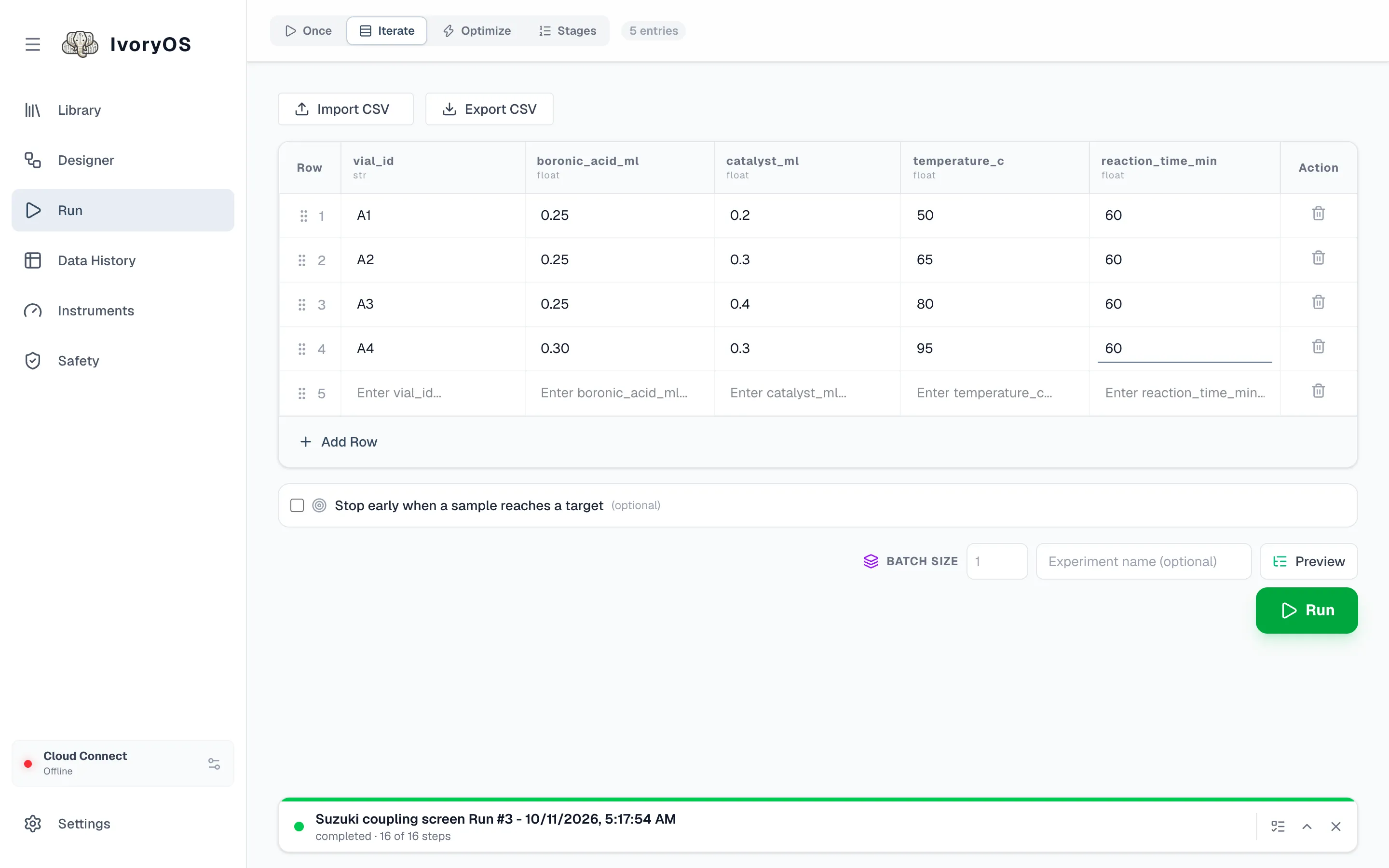
-
Open Run → Iterate. The table has a column for every
#variablein the workflow, typed from the step that uses it. Five empty rows are there to start with. -
Fill in the rows. Add Row adds one; the handle on the left drags rows into order; the trash deletes one. Import CSV fills the table from a file whose header matches the column names, and Export CSV saves it. Blank rows are skipped.
A column that holds a position on a tray or a well on a plate gets a picker: pick the positions in visiting order and the column fills one row each.
-
Set Batch size if the workflow has steps marked once per batch (see below). Blank means one: each row runs start to finish before the next.
-
Optionally tick Stop early when a sample reaches a target and name a saved output, a comparison and a threshold. When a sample meets it, the run ends after that sample, cleanup included, as a success; the rows left are marked not run.
-
Preview, then Run. Data History shows one row per sample with every value it was given and everything it saved.
Per-sample and per-batch steps
Section titled “Per-sample and per-batch steps”In the Designer, each Main step has a switch between per sample (the default) and once per batch (purple). Iterate walks the rows in groups of Batch size, and within a group runs the workflow step by step: a per-sample step runs once for each row in the group; a batch step runs once for the whole group.
The common case: a heater holds four vials at the same temperature. set_temperature is marked
once per batch, batch size is 4, and the temperature column is read from the first row of each
group only. The table shows this: the column header carries a 1/batch badge, a purple line
marks where each group starts, and the rows that are not used for that column are greyed out.
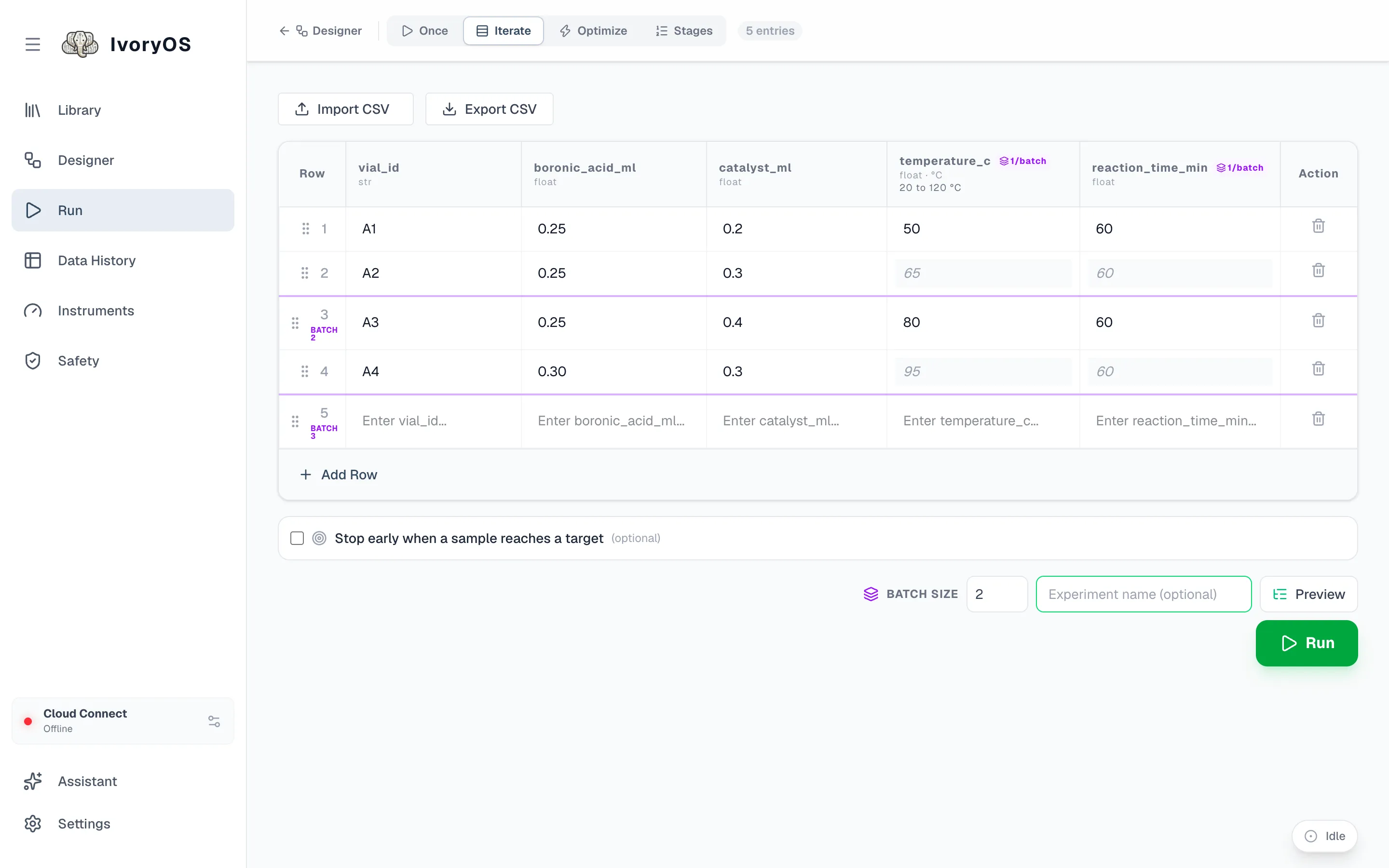
Groups are cut by row position (rows 1–4, 5–8, …), never by which rows have data, so the boundaries are visible before you type anything. A batch step’s result goes back to every row of its group when the step was given one value per row (a plate read keyed by well); otherwise it shows under the group’s first row.