
Library
The Library lists every workflow saved on this deck.
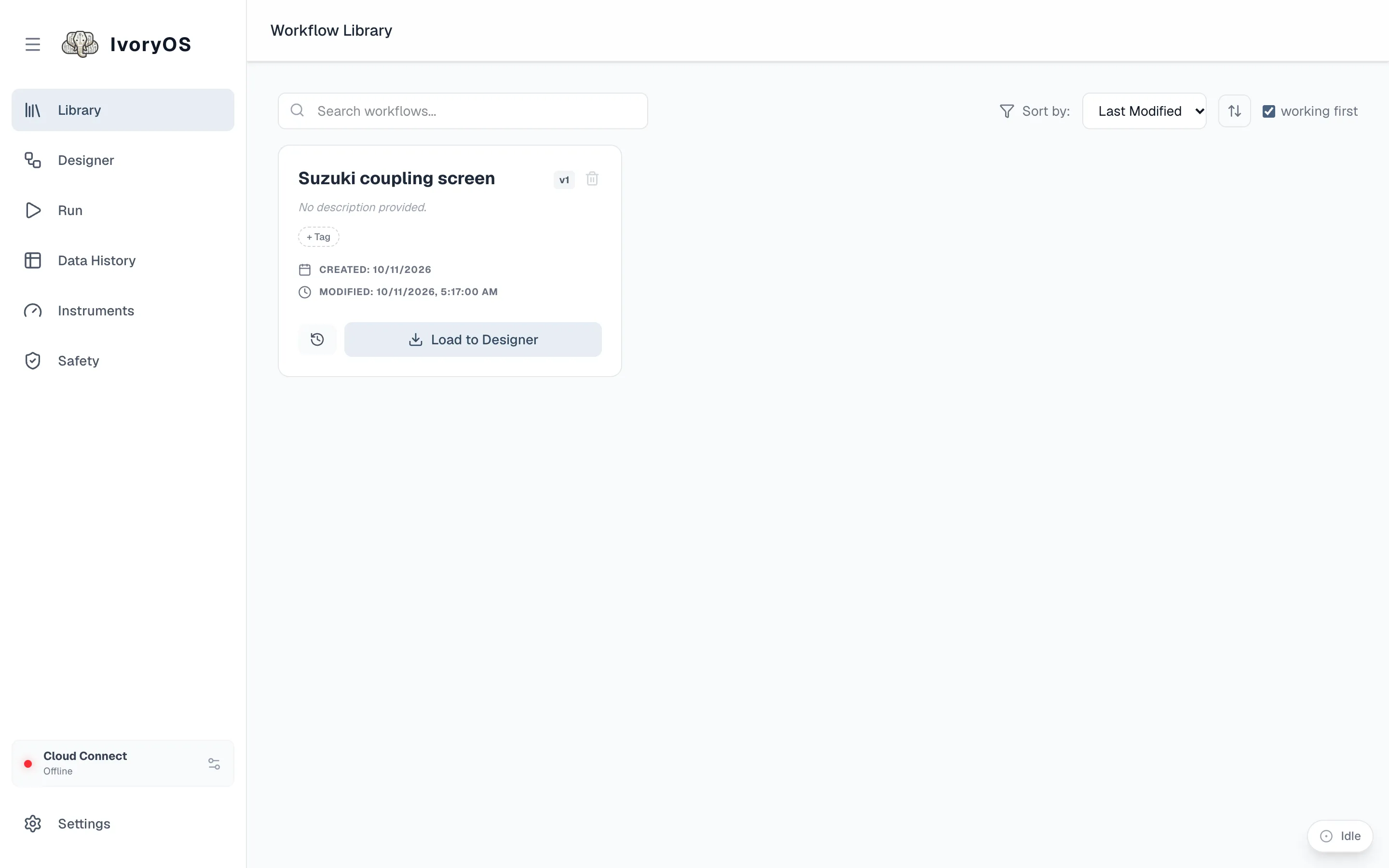
Each card shows the name and current version, the description, how long a run typically takes (a median over completed runs, once there are some), its tags, when it was created and last modified, and three actions: version history (the clock), Load to Designer, and delete. The search box, the sort order and the working first box are at the top.
Load, edit, save again
Section titled “Load, edit, save again”Load to Designer puts the workflow on the canvas. If the canvas holds unsaved changes, you are asked first. Edit it there and Save: the Library card moves to the next version. A workflow is never overwritten; every save is kept.
Versions
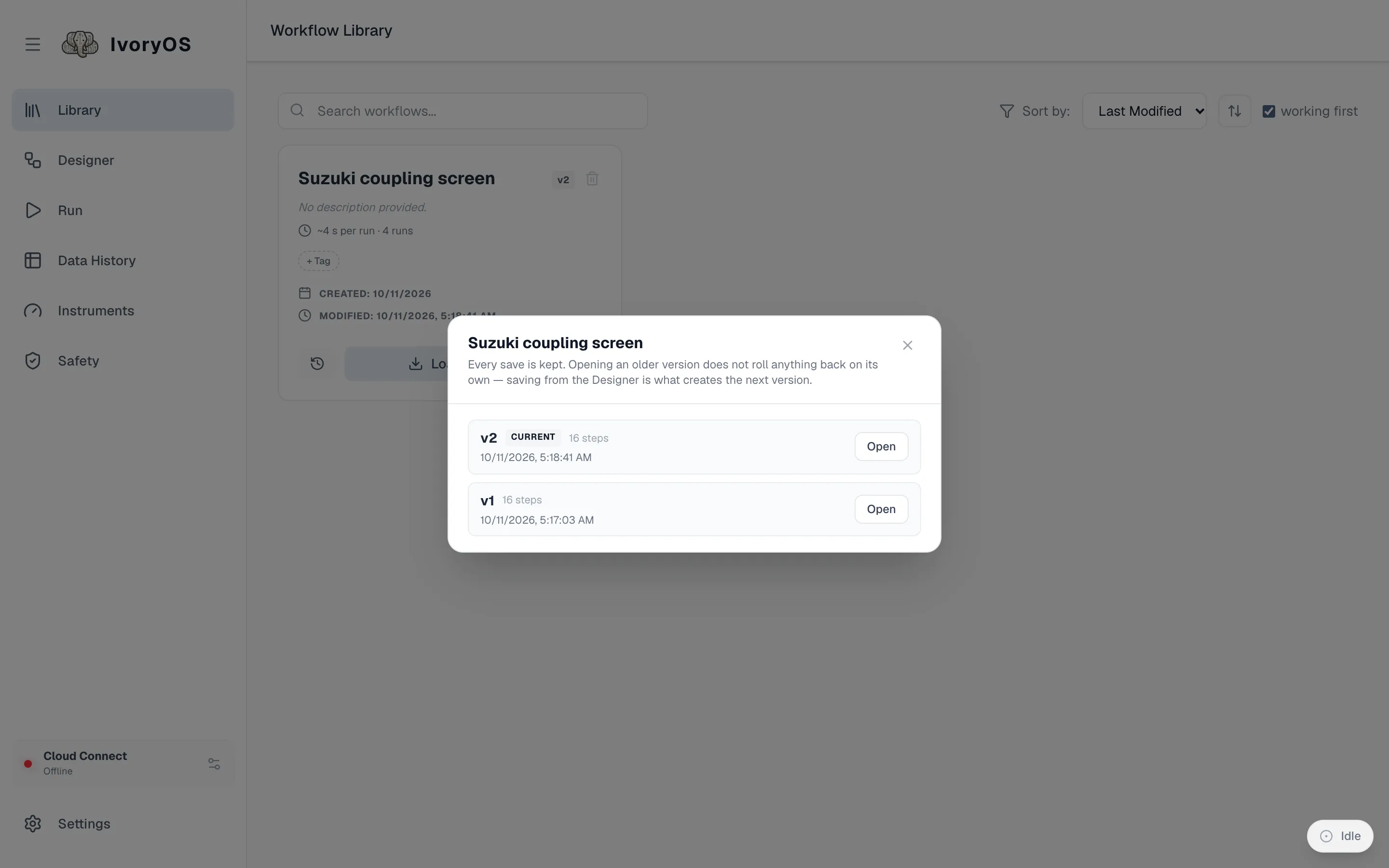
Section titled “Versions”The clock icon opens the version history: every save, with its date and step count, and an Open button that loads that version into the Designer. Opening an older version rolls nothing back on its own; saving from the Designer is what creates the next version, so “going back” is open v2, save.
A version also records the deck version it was written on, so a workflow from before a driver update says so.
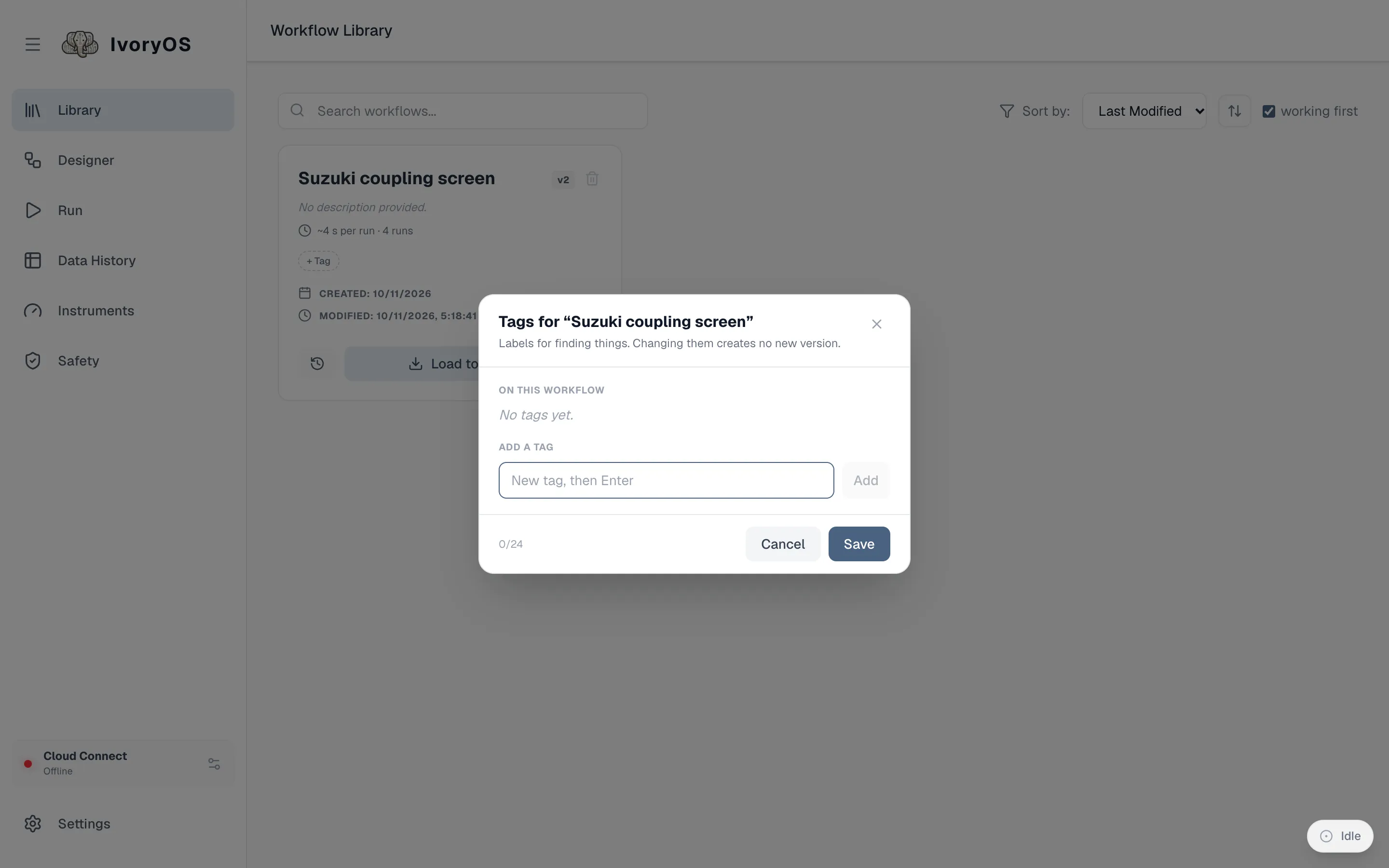
+ Tag on a card adds free-form tags (screening, calibration); the tag chips above the list
filter by them. A workflow can carry several, which is why tags rather than folders: a protocol is
both a screen and a calibration, and its name is its identity everywhere (on disk, in Cloud, in
every link to it), so there is nothing to move. Tags are matched ignoring case.
Which workflows still run here
Section titled “Which workflows still run here”Every workflow is checked against the deck’s current instruments. One that names a method the deck no longer has, or an argument that no longer exists, carries a badge and sorts after the working ones when working first is ticked. Load it: the Designer marks exactly the steps that need fixing.