
Settings and notifications
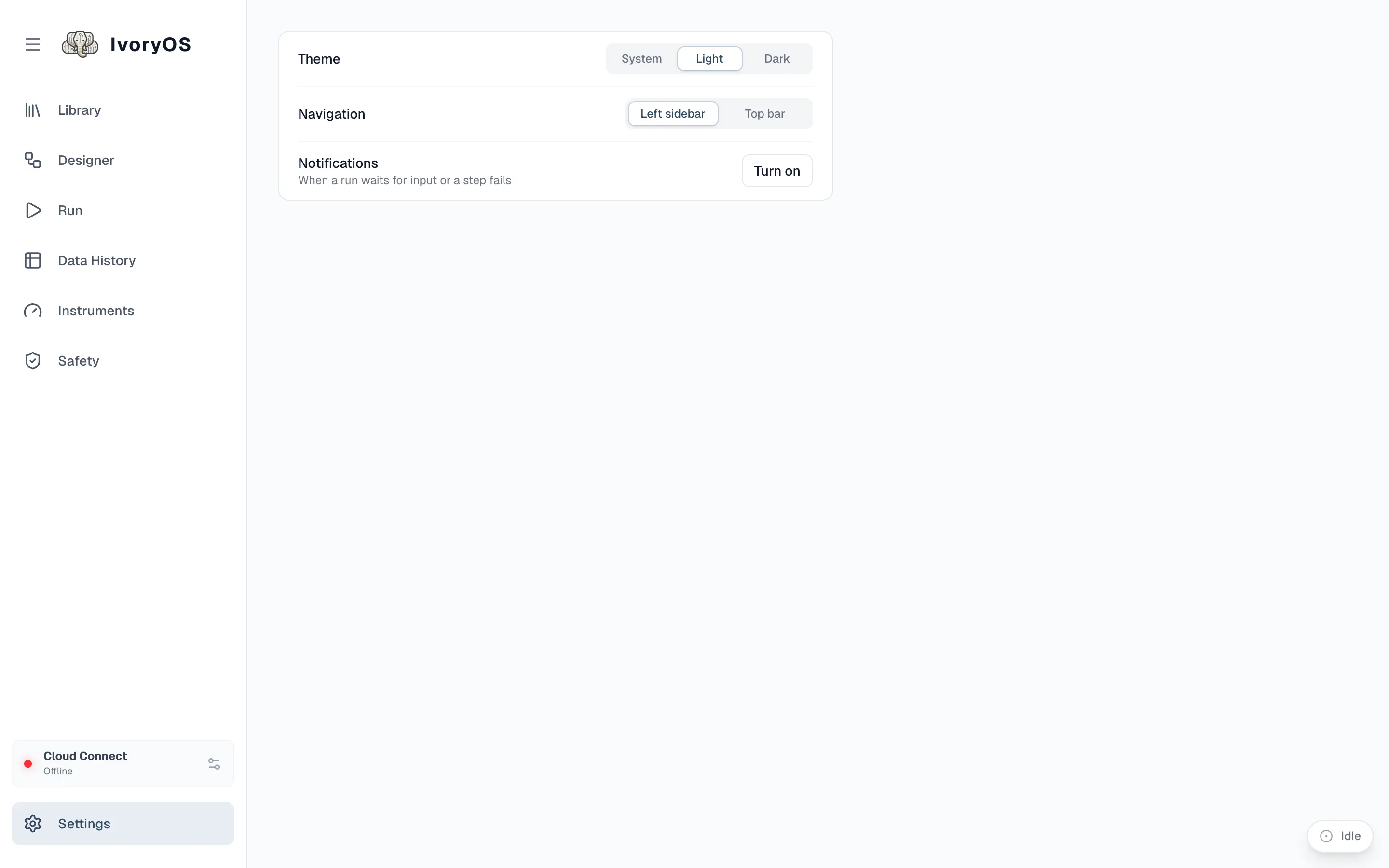
In a browser
Section titled “In a browser”Settings at the bottom of the sidebar has three things, all stored in that browser:
- Theme: System, Light or Dark.
- Navigation: the sidebar on the left, or a top bar.
- Notifications: whether this page may notify you while its tab is in the background, when a run waits for input or a step fails. The page asks once the first time a run is under way.
In the desktop app
Section titled “In the desktop app”The deck’s Settings gear is hidden: theme and layout follow the app (the launcher’s Settings → Appearance), and the app does the notifying for every running deck, whether or not its tab is open:
| Group | Announces | Default |
|---|---|---|
| Needs you | a step waiting for input, a failed step, a deck that stopped unexpectedly | on, with sound |
| When a run ends | a run that finished (only runs longer than a threshold, 5 min by default); a run that stopped or ended in error | finished on, stopped off |
| Heads up | a deck you started is ready or could not start; an install finished or failed | on, only while you are in another app |
Each deck can be muted. Nothing about a deck is announced while its tab is the one you are looking at, since its own pop-up or run bar already says it. If the system refuses the app’s notifications (macOS does for an unsigned build), Settings says so and offers a test and a link to the system’s notification settings; the Dock bounce or flashing taskbar button works regardless.