
The live run and the queue
A run is watched where it was started. The chip at the bottom of the Run page reads Idle, N queued or Queue paused; when a run starts it widens into the run bar, and shrinks back when the run is over. On every other page a small floating card shows the same thing.
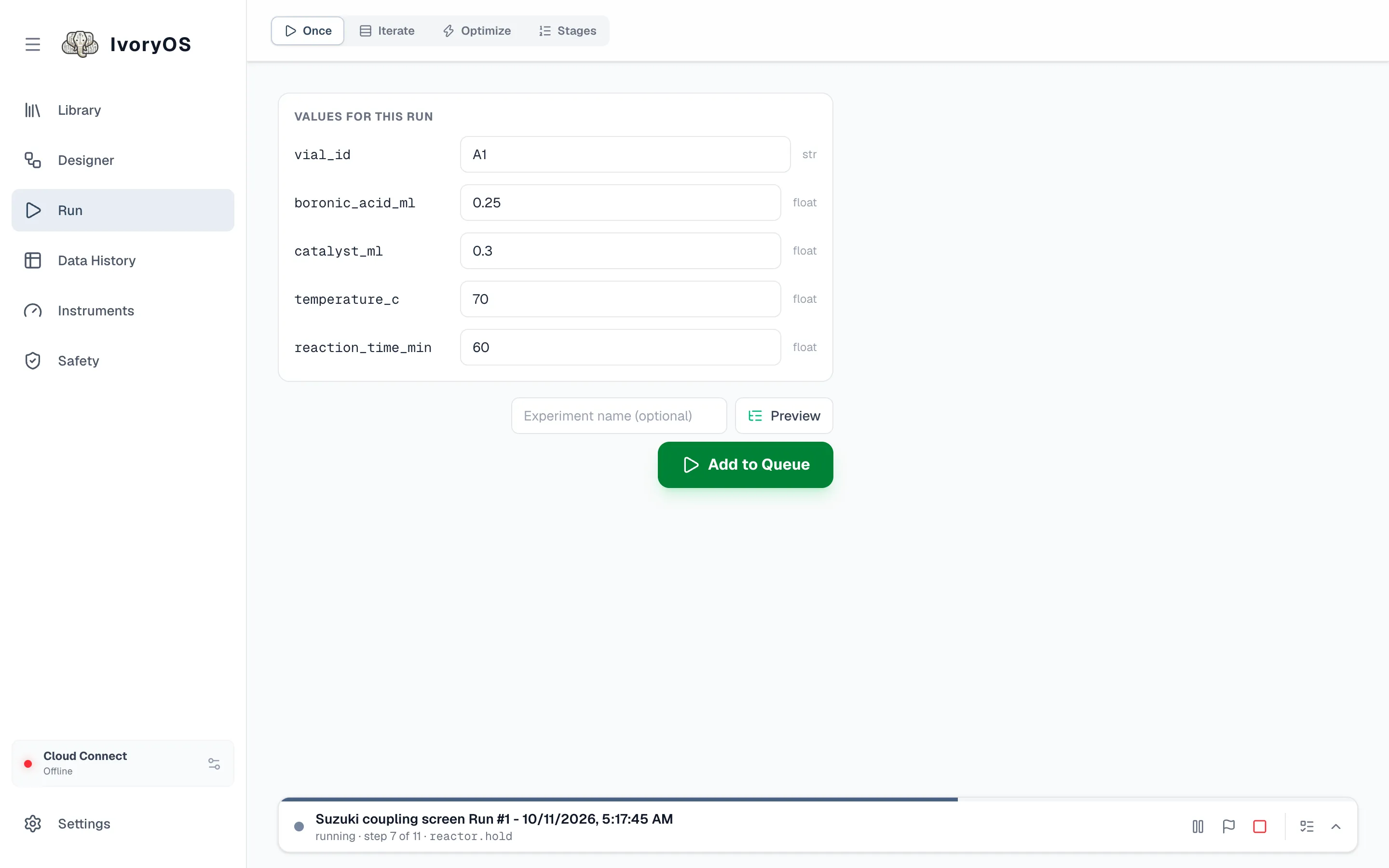
The run bar
Section titled “The run bar”Left to right: the run’s name and what it is doing (running · step 7 of 11 · reactor.hold), then the controls:
| Control | What it does |
|---|---|
| Preview | every step and every call this run will make |
| Pause | pause after the current step; the same button resumes |
| Stop after this iteration (the flag) | a graceful stop: finish the row, batch or trial the run is on, then stop. It asks whether to run the cleanup steps and whether the queued runs should go on. |
| Stop now (the square) | stop at once. Cleanup does not run, and the queue stays held until you resume it. |
| Queue | opens the queue drawer |
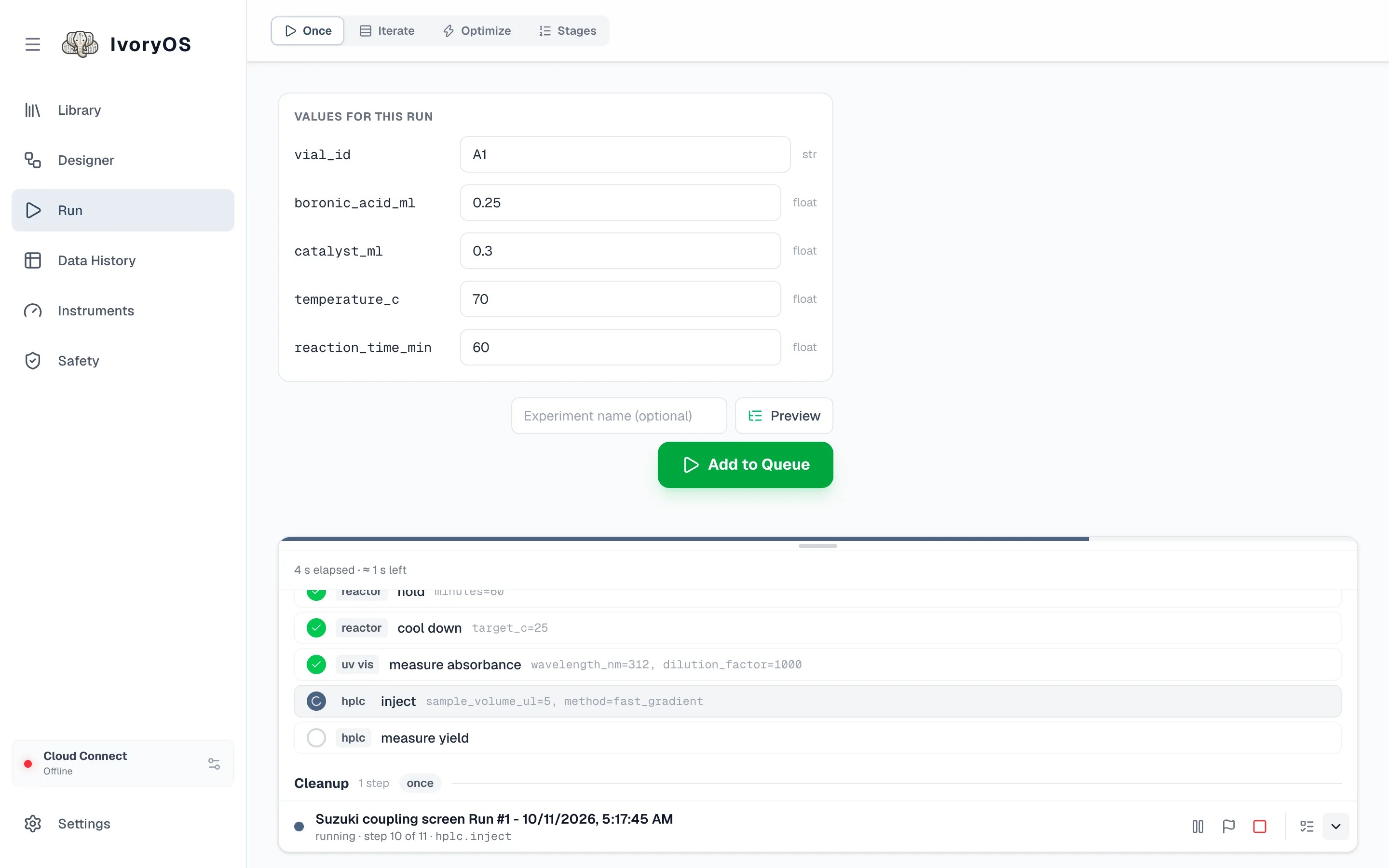
| Show the steps | opens the step list above the bar |
The progress strip along the top of the bar is the run’s only progress bar. Opened, the steps live in a box you can drag taller or shorter; it follows the running step unless you scroll it yourself. Steps still to come can be edited from here (the pencil) before the run reaches them.
When the run needs you
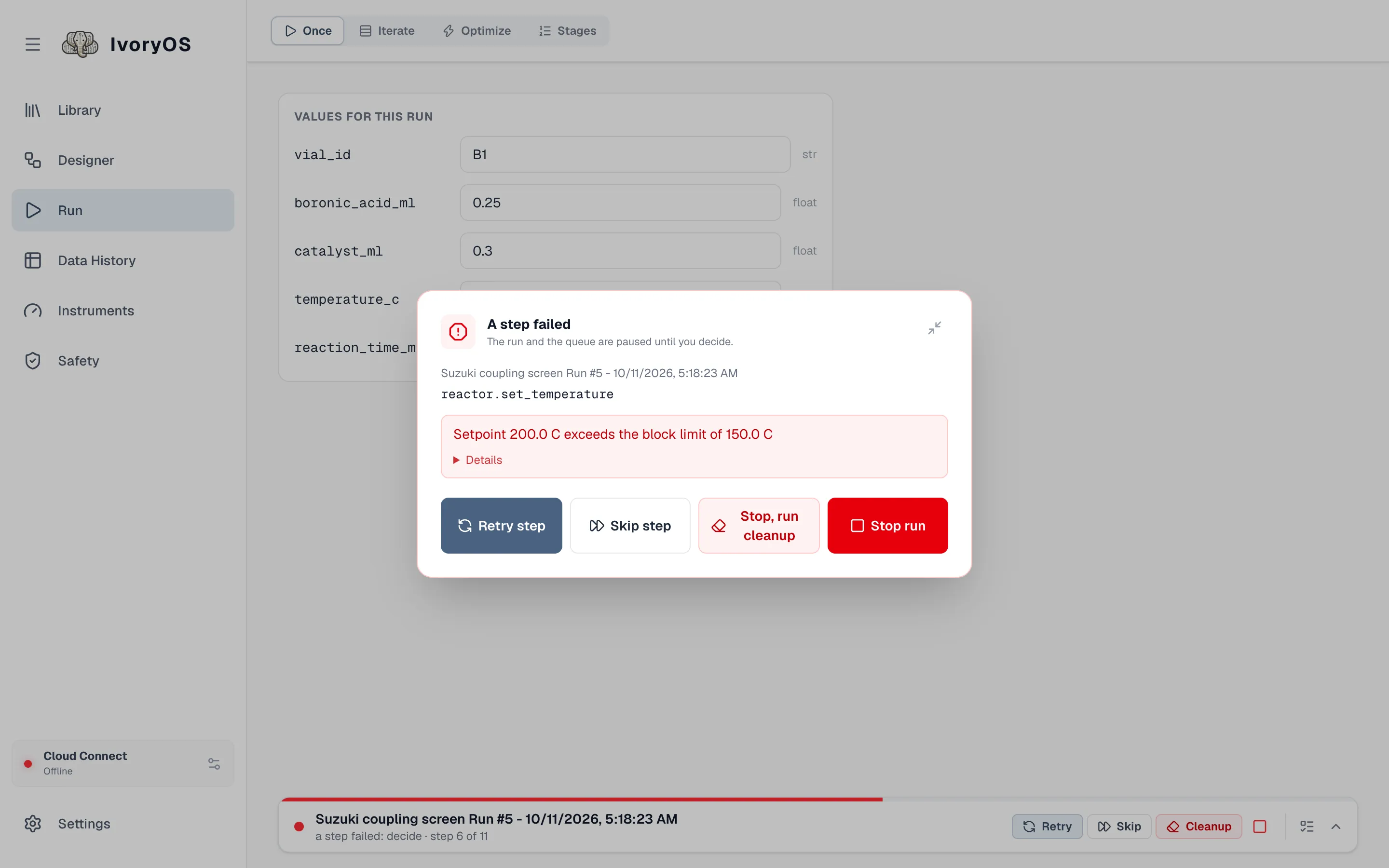
Section titled “When the run needs you”A step failed. The run and the queue pause, and a pop-up appears on whichever page you are on: the step, the error, and the choices. Change values and retry edits the step’s arguments first. Retry step runs it again, Skip step goes on without it, Stop, run cleanup ends the run after its cleanup steps (offered when there is a cleanup still ahead), Stop run ends it at once with no cleanup, since a failure may have left the deck in a state cleanup should not walk into. Nothing is retried or skipped on its own. The error and what you chose stay with the run.
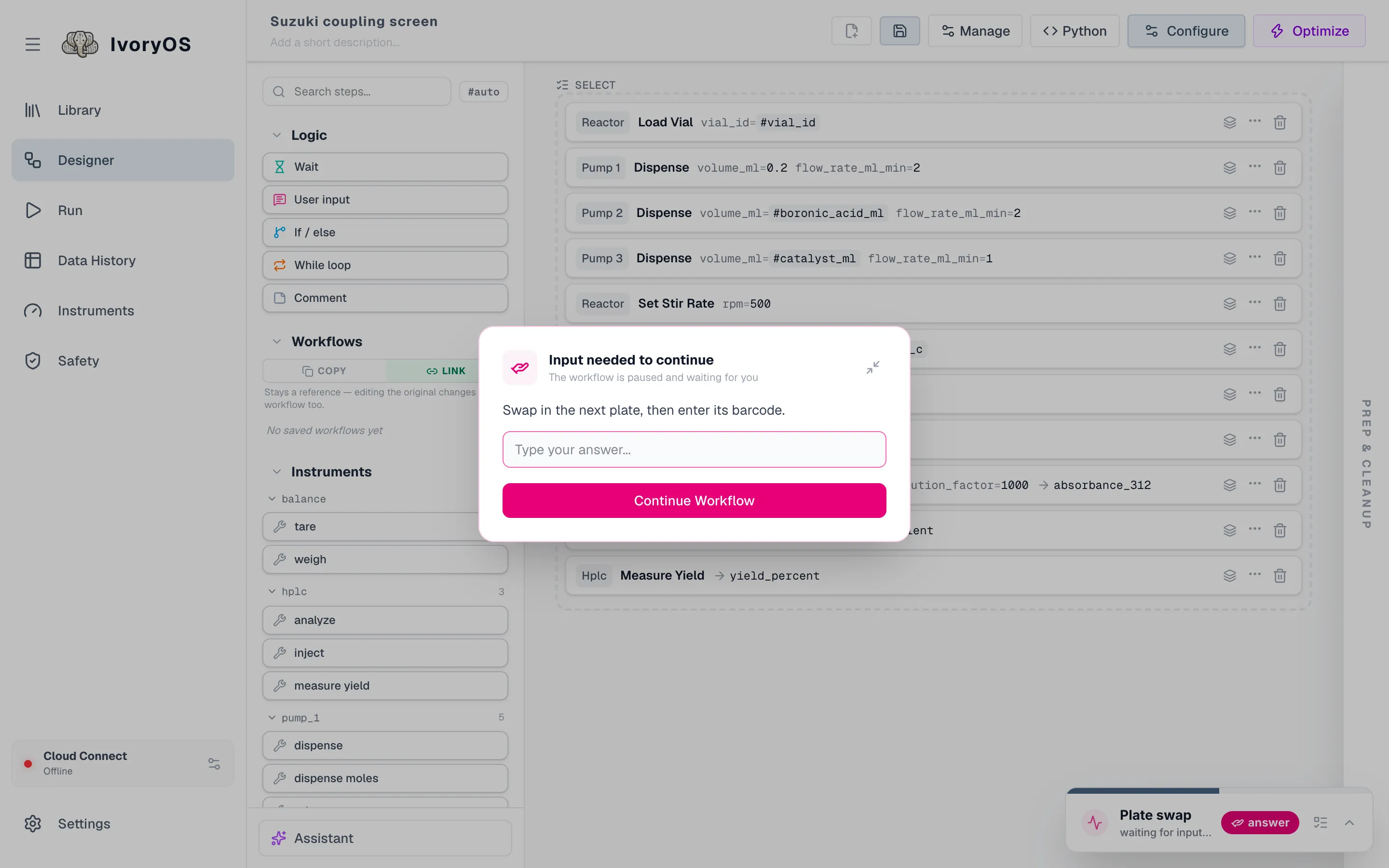
A User input step. The prompt appears the same way, with a field for the answer when the step saves one, or just Continue for a pause.
The optimizer cannot suggest, or refuses a round’s results: same pop-up, with its own choices (Ask again, Record again, Go on without it). See Optimize.
The queue
Section titled “The queue”Runs execute one at a time. Starting a run while one is going (Add to Queue) puts it behind. Open the drawer from the chip or the bar’s Queue button:
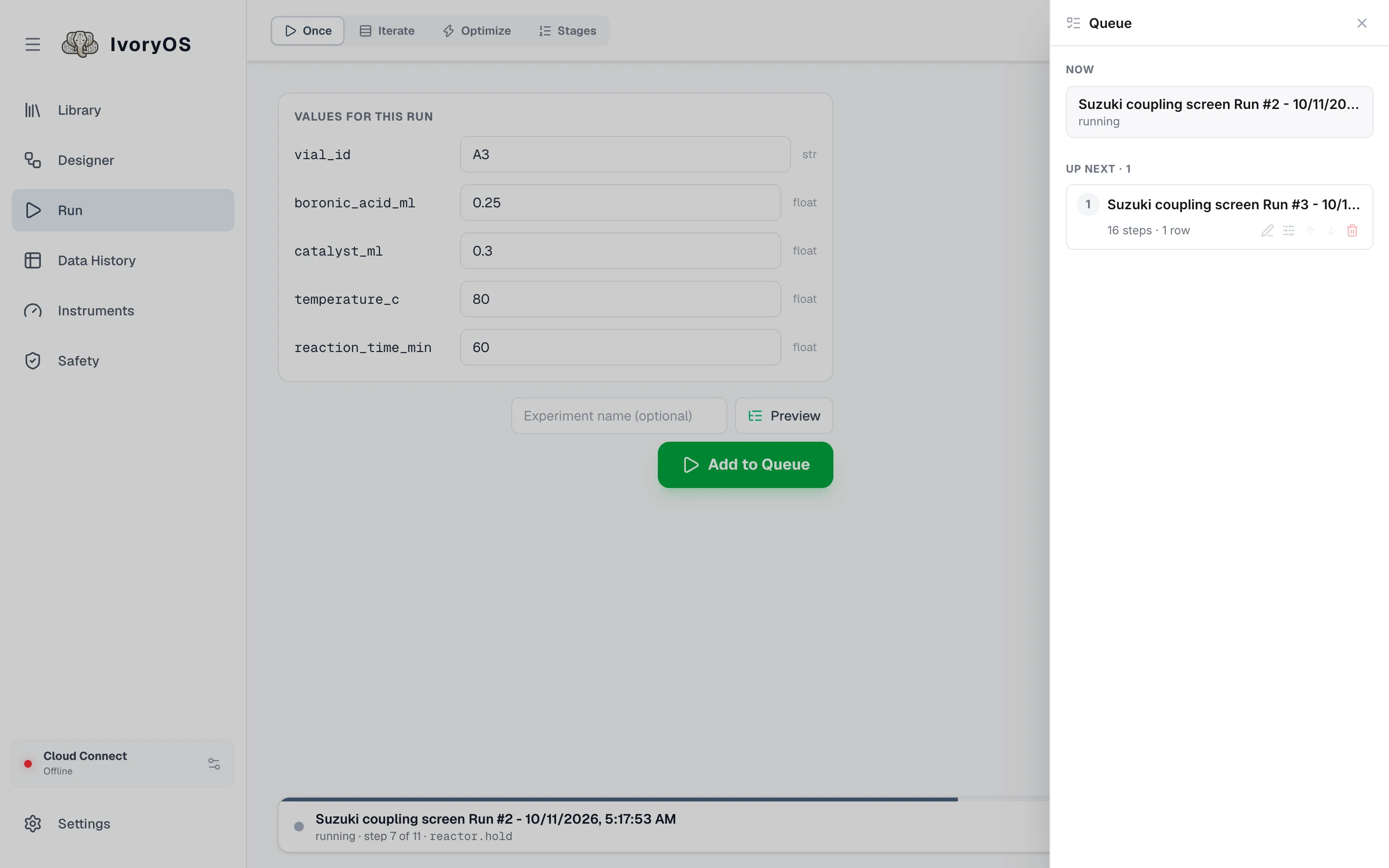
- Now is the running run; Up next is what waits, in order, with its size in its own unit (steps and rows, or iterations for an optimization).
- The pencil renames a queued run; the sliders open its page again with its values, where Save changes replaces it in the queue; the arrows move it sooner or later; the trash removes it.
- Resume queue appears whenever the queue is held, which happens after Stop now, after a failed run was stopped, and after a graceful stop told to hold. Nothing waiting starts until you press it, though a new run you submit while nothing else waits starts anyway.